
Multiple user groups
Students, parents, staff, and visitors have distinct routines and access permissions.
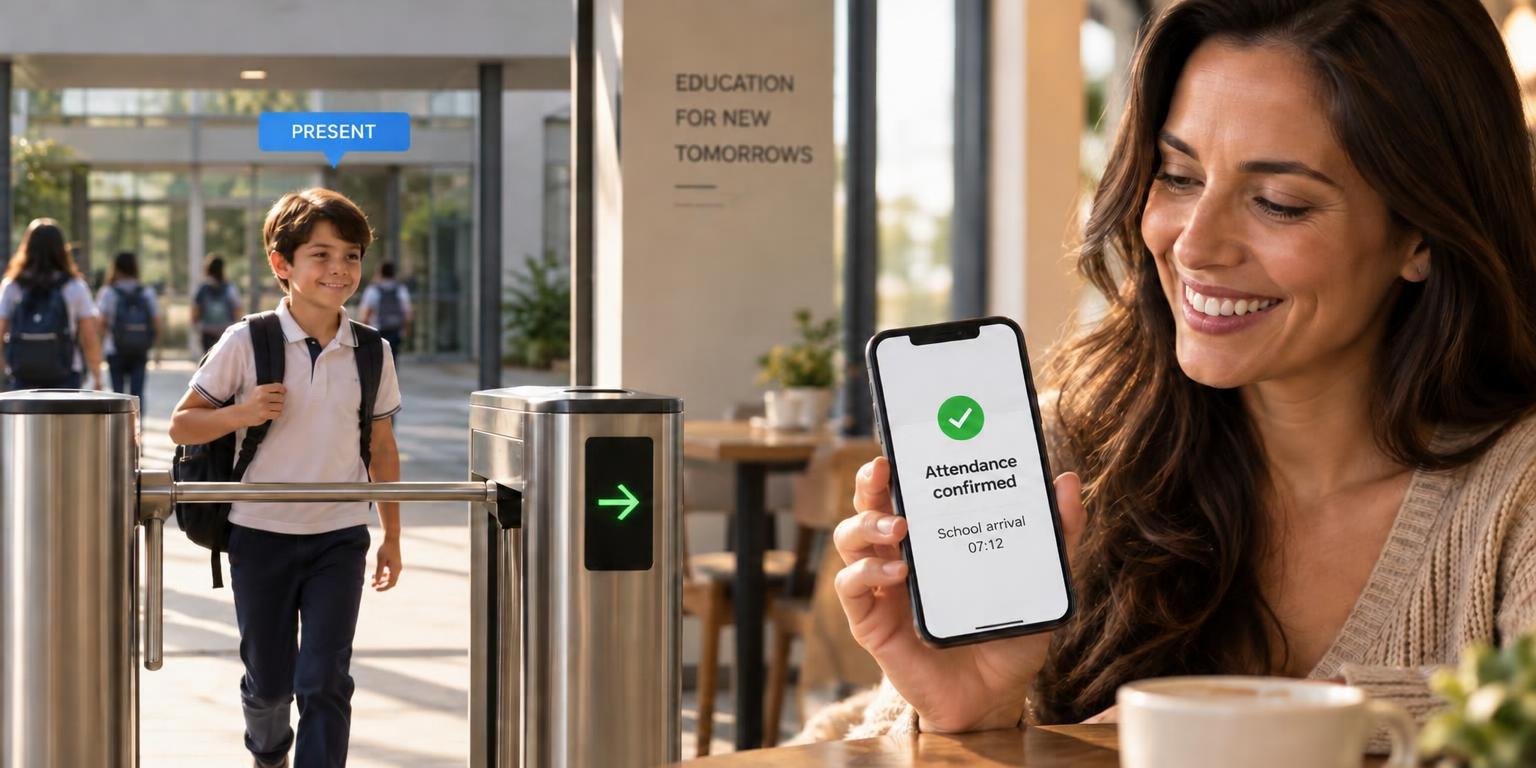
Peace of mind for parents. Visibility for the school.
Tell us about your schoolWe connect access control, entry and exit records, and parent notifications to support school safety and routine management.
Schedules, grace periods, and notification recipients are defined by the school.
Students, parents, staff, and visitors have distinct routines and access permissions.
Academic systems, credentials, and access gates can operate with data requiring manual verification.
Reporting arrivals, delays, and absences relies on manual routines that do not always keep pace with day-to-day operations.
We work with the institution to map groups, schedules, and entry/exit rules. Notifications follow these schedules and rules, and the lack of a gate log alone is not treated as an absence. Child and adolescent safeguarding guides every project decision.
Integrate credentials and permissions into the institution's entry, exit, and visitor routines.
Connect gatehouse records to school systems. Campus access does not equal classroom attendance.
Send alerts regarding arrivals, delays, or absences based on school-defined schedules and rules.
Associate events and footage from approved areas for verification by authorized teams.
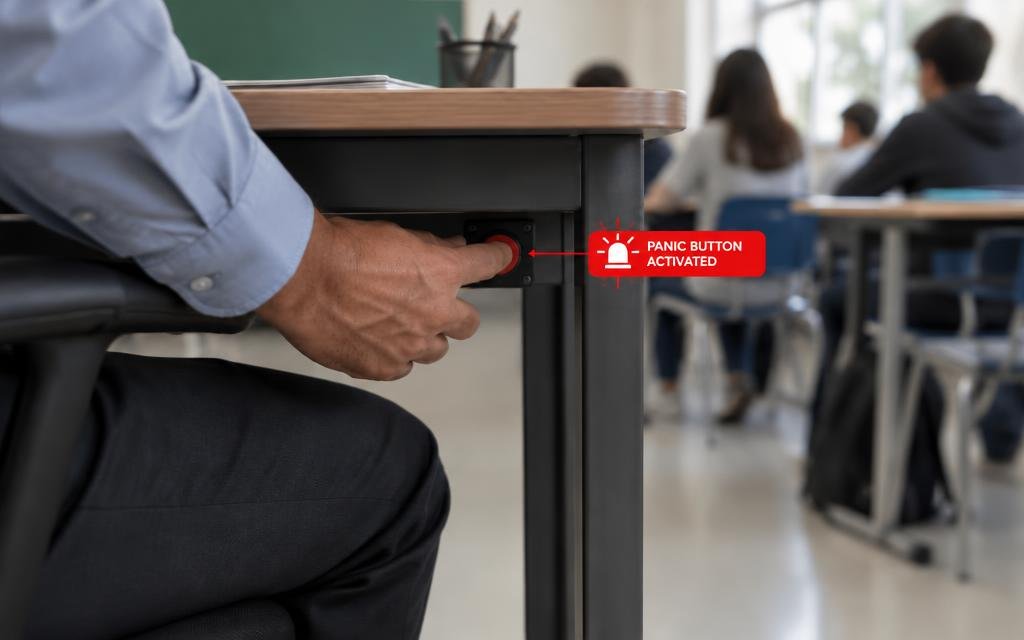
Emergency activation by school staff, with immediate alerts sent to monitoring centers and designated contacts.
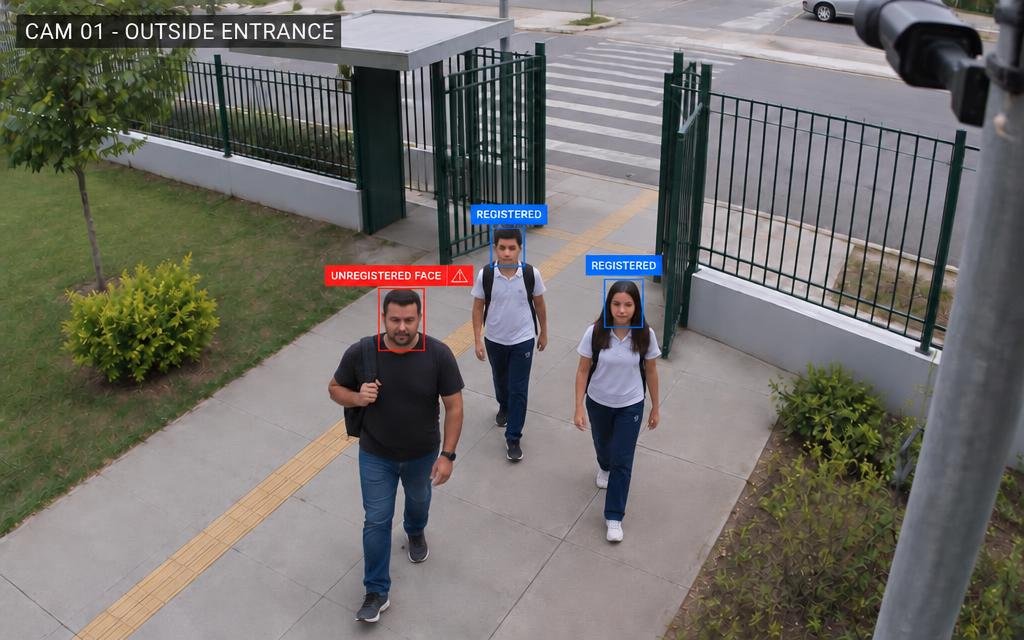
External entrance cameras identify registered individuals and flag unregistered faces, with consent and a defined purpose.
Detection of cars and motorcycles parked illegally in areas reserved for school vans.
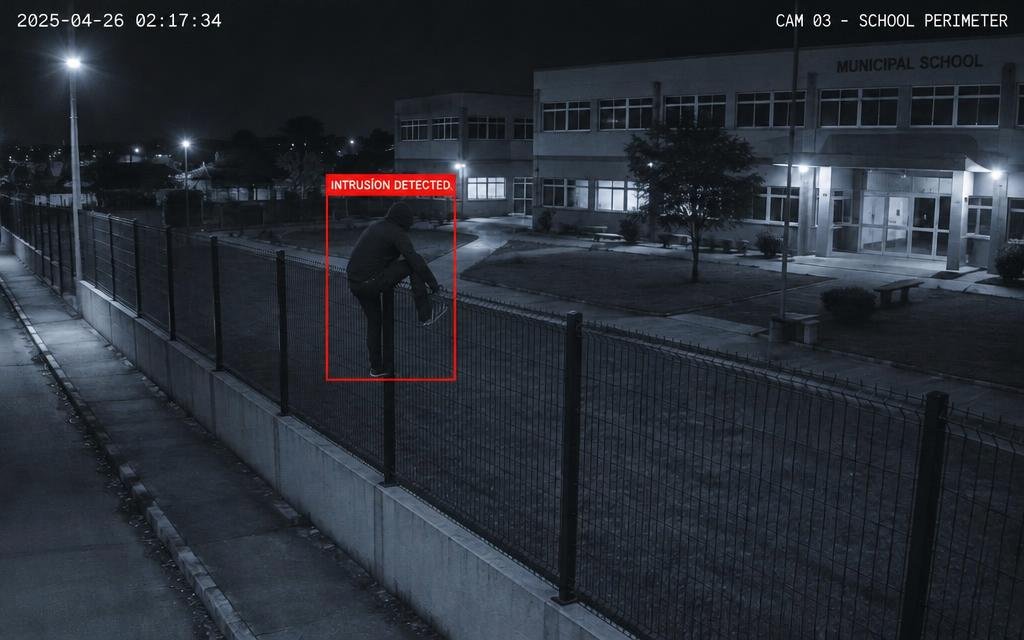
Alerts for individuals crossing fences and perimeters after hours or in restricted areas.
Tardiness or absence notifications depend on schedules and institutional rules. Classroom attendance is recorded by the school's academic processes.
Notify guardians when entry is recorded.
Notify entry after the time defined by the school.
Alert administration for verification before contacting the family.
Log and track the entry of authorized visitors.
 05
In the classroom, the teacher discreetly presses the button under the desk, and the monitoring center receives the alert with the location.
 06
Outdoor entrance camera identifies registered individuals and alerts security about unregistered faces.
 07
Car stopped in the dedicated van lane is flagged as an illegal stop and triggers an alert to the gatehouse.
 08
Person jumping the fence at night is detected and flagged to the monitoring center.
Illustrative examples. Rules and messages are configured by each institution.
Access logs can connect to the institution's student information system and communication channels, depending on available interfaces.
We understand the goals, processes, and existing systems.
We define the solution, integrations, and infrastructure requirements.
We configure, customize, and connect the features planned for the project.
We test the solution in the live environment and guide teams.
We monitor operations according to the contracted scope and identify improvements.
Tell us how your access control and communications work. We will design the workflow with your team.